
EasyBusy — CRM for Messengers & Social Media

Integrate all customer messages into EasyBusy CRM and manage communication in one window. The system lets you collect requests from messengers and social media, process inquiries, store customer data, and manage sales without switching between tabs. Convenient, fast, and effective for your business.

Спробувати безкоштовно
EasyBusy

All communication channels in one place — connect messengers & social media with CRM

Collect all messages in one place

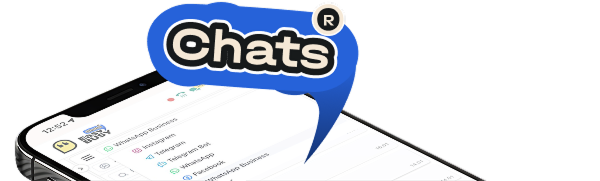
Constantly switching between messengers distracts and complicates work with clients? EasyBusy CRM for messengers and social media solves this problem — connect Telegram, Viber, WhatsApp, Instagram, and Facebook Messenger into a single messenger hub. Now all messages, requests, and chat history are available in one window, and you can quickly respond regardless of the source.

  • merge chats from messengers and social media in one window;
  • convenient search by chats and usernames;
  • no risk of missing a message.
Set up scripts and reply templates

Response speed is a key factor in making a sale. EasyBusy CRM for messengers already has ready-to-use templates for common cases, and you can also create your own scripts. Maintain high response speed and a unified communication style for your whole team.

  • ready-made templates for frequent scenarios;
  • create your own scripts tailored to your business;
  • unified reply set for the team.
EasyBusy
Connect multiple accounts

Managing several accounts at the same time? EasyBusy is a messenger and social media hub that unites them in one interface, so you can work with chats in parallel without chaos and never miss a potential lead.

  • connect multiple accounts of the same messenger;
  • separate work and personal accounts;
  • easily switch between accounts without logging out.
EasyBusy
Collect customer data

EasyBusy CRM doesn’t just store chats — it builds a customer database. Contacts, chat history, orders, and successful sales are always available. Analyze audience interests in a couple of clicks to win repeat business and build long-term relationships.

  • save contacts, orders, and messages;
  • convenient search through communication history;
  • build a single database for marketing and sales.
EasyBusy
Create funnels (pipelines) in CRM for messengers & social media

Track at what stage your client is, so you don’t lose requests. EasyBusy helps structure sales, build a funnel (pipeline), and highlight weak points in your workflow. Managers see the full picture and work more systematically.

  • create funnel (pipeline) stages by channel and manager;
  • track request progress through stages;
  • transparent teamwork.
EasyBusy
Analyze account performance

Collect statistics for each account and identify weak points. Add necessary data to requests to generate any report. EasyBusy shows which accounts bring more requests and sales, so you can make better marketing decisions and allocate resources more effectively.

EasyBusy
EasyBusy
Meet EasyBusy CRM Meet EasyBusy CRM Try NOW
EasyBusy

Reply to messages and create orders from your phone with the EasyBusy CRM app

Work not only from your computer but also from your smartphone. The EasyBusy mobile app lets you respond to clients, create requests, and manage sales even on the go.

Start using EasyBusy CRM for free today

Try all EasyBusy CRM features free for 7 days. Connect messenger and social media integrations, test the functionality, and see how convenient it is for your team.

    FAQ
    Popular questions about CRM integration with messengers and social media
    Questions that may interest you
    How can I message clients from CRM?

    In EasyBusy CRM for messengers, you can open a chat directly in the system and reply to the client, just like in a social media app. Messages are sent from the integrated account, and the client receives them in their usual messenger.

    Which messengers and social media can I integrate with EasyBusy CRM?

    The system works as a messenger and social media hub and supports integration with Instagram, Telegram, Facebook Messenger, Viber, and WhatsApp.

    Can I connect multiple accounts of the same messenger to CRM?

    Yes, in EasyBusy you can add multiple accounts and reply to all messages in one window.

    Can I integrate messengers and social media with CRM on my own?

    Yes, integration is done in a few steps, and you can connect accounts yourself without extra help. If you need assistance, message our support team in chat — they’ll be happy to help.

    How much does messenger & social media integration with CRM cost?

    Integrations are already included in the Professional plan. In the Standard plan, connecting a module is paid separately — 120 UAH. The plan includes one account for each messenger. If you need to add more accounts, each additional one costs 500 UAH. You can find details on our EasyBusy Pricing page.

    Can I send files, images, and videos from CRM?

    Yes, managers can send media files, documents, and photos directly from the CRM interface.

    EasyBusy Questions?
    This site is registered on wpml.org as a development site. Switch to a production site key to remove this banner.